
Remote Ruler2.0 - Google Play
You'll be able to see results in few seconds.
Publisher Description
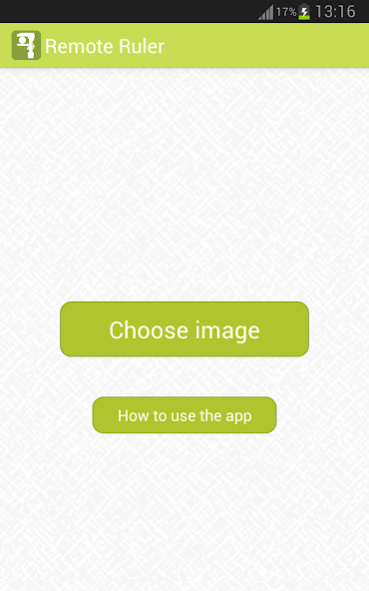
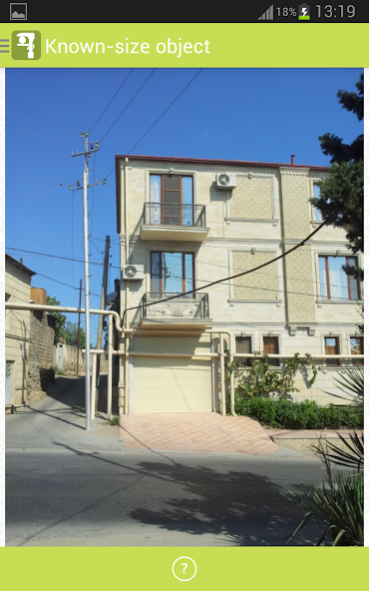
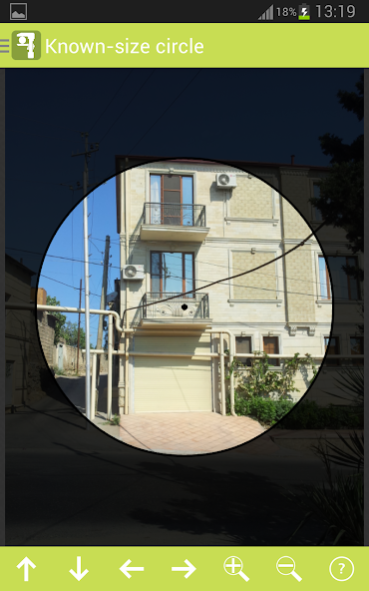
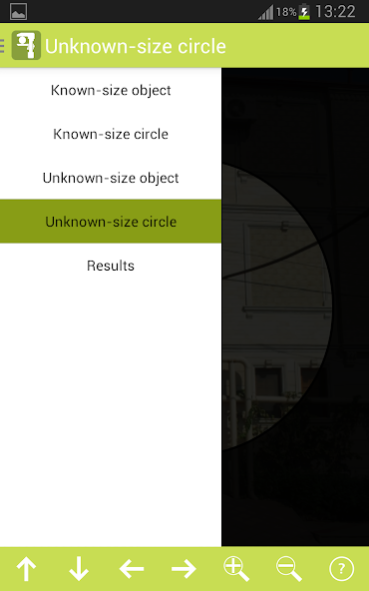
“Remote Ruler” is an android application to measure any linear size (width, length, height, diagonal, diameter etc.) of an object based on a known size of another reference object. The application works with an image of these two objects, placed on the same surface (or one on another) and taken from the perpendicular view to the surface. The image can be taken by the default camera app called from within the app, by any third-party camera app or loaded into the image gallery from somewhere else. You may use the app to measure objects of size from several millimeters to a few tens of meters. Within the app it is possible to zoom in the image what allows you to take the image from a comfortable distance to the objects. The optimal distance from the camera till the surface is in range 10 cm - 50 m.
Some examples of when “Remote Ruler” will be your best pocket tool:
- You want to measure the size of an object and you have a known-size object in your pocket or nearby (coin, matchbox etc.). Just put it near or onto the unknown-size object, take a picture of them and go to the “Remote Ruler” app.
- You want to measure the height (width, length) of a building (private house, cottage) on which you have an object (air conditioner's outdoor unit, window, visible bricks etc.), any size of which is known. Just take a picture of the building and go to the Remote Ruler app.
- You want to measure the size of a small object, and you have a bigger object, which could be used as a reference object. Just put them together onto the same surface and take a picture of them and go to the Remote Ruler app.
- many more (up to your imagination).
How to use the app:
After the image of the known-size and unknown-size objects is uploaded to the “Remote Ruler” app, there are 5 simple steps to get the size of the unknown-size object. Within the application there are two special circles, one for the unknown-size object and one for the known size object. The main idea is on equating the diameters of each circle to the size of the corresponding objects.
Here are the steps:
1. As soon as the image is uploaded to the app, “Known-size object” page is opened. Here it is required to zoom in the image to the known size object and position it in the center of the screen for comfortable performance of the second step. (Note: it is not required for the object to be in precise center, it is just for convenience purposes). Then navigate to the “Known-size circle” page using the sidebar.
2. On the “Known-size circle” page it is required to zoom in/out the transparent circle to equate its diameter to the known size of the known-size object. The known-size object is visible in the background, so you can use it to help you with circle diameter size adjustment. You may use fingers and action bar tools to position and zoom in/out the circle. Then navigate to the “Unknown-size object” page using the sidebar.
3. On the “Unknown-size object” page do exactly the same what you did on the first step, but this time operating with the unknown-size object. Then navigate to the “Unknown-size circle” page using the sidebar.
4. On the “Unknown-size circle” page do exactly the same what you did on the second step, but this time the diameter of the circle should be equated to the size of the unknown-size object that you want to measure. Then navigate to the “Results” page using the sidebar.
5. On the “Results” page it is required to insert the size of the known-size object in the “Known size” textbox and the system will calculate and print the calculated size of the unknown-size object into the “Calculated size” textbox. By default, all calculations are done in millimeters, but you may change the units of measurements through the combo boxes. This is it, you are done!
I truly believe you will find this app very easy to use and very helpful in many situations, requiring instant measurements. Thank you!
About Remote Ruler
The company that develops Remote Ruler is Elin Malikzade. The latest version released by its developer is 2.0.
To install Remote Ruler on your Android device, just click the green Continue To App button above to start the installation process. The app is listed on our website since 2014-10-18 and was downloaded 0 times. We have already checked if the download link is safe, however for your own protection we recommend that you scan the downloaded app with your antivirus. Your antivirus may detect the Remote Ruler as malware as malware if the download link to com.elinmalikzade.remoteruler is broken.
How to install Remote Ruler on your Android device:
- Click on the Continue To App button on our website. This will redirect you to Google Play.
- Once the Remote Ruler is shown in the Google Play listing of your Android device, you can start its download and installation. Tap on the Install button located below the search bar and to the right of the app icon.
- A pop-up window with the permissions required by Remote Ruler will be shown. Click on Accept to continue the process.
- Remote Ruler will be downloaded onto your device, displaying a progress. Once the download completes, the installation will start and you'll get a notification after the installation is finished.
Program Details
System requirements
Download information
Pricing
Version History
version 2.0
posted on 2014-10-18
- Bug is fixed for Android KitKat.,- Camera call function is added to take images from within the app.
Disclaimer
Official Google Play Link
We do not host Remote Ruler on our servers. We did not scan it for viruses, adware, spyware or other type of malware. This app is hosted by Google and passed their terms and conditions to be listed there. We recommend caution when installing it.
The Google Play link for Remote Ruler is provided to you by apps112.com without any warranties, representations or guarantees of any kind, so access it at your own risk.
If you have questions regarding this particular app contact the publisher directly. For questions about the functionalities of apps112.com contact us.
